How to Change Your Company Address in the Estonian e-Business Register
Thanks for choosing our address service! You’re almost done — just a few quick steps in the e-Business Register of Estonia, and your company address will be updated.
Step 1 — Log in
- Go to ariregister.rik.ee and log in.
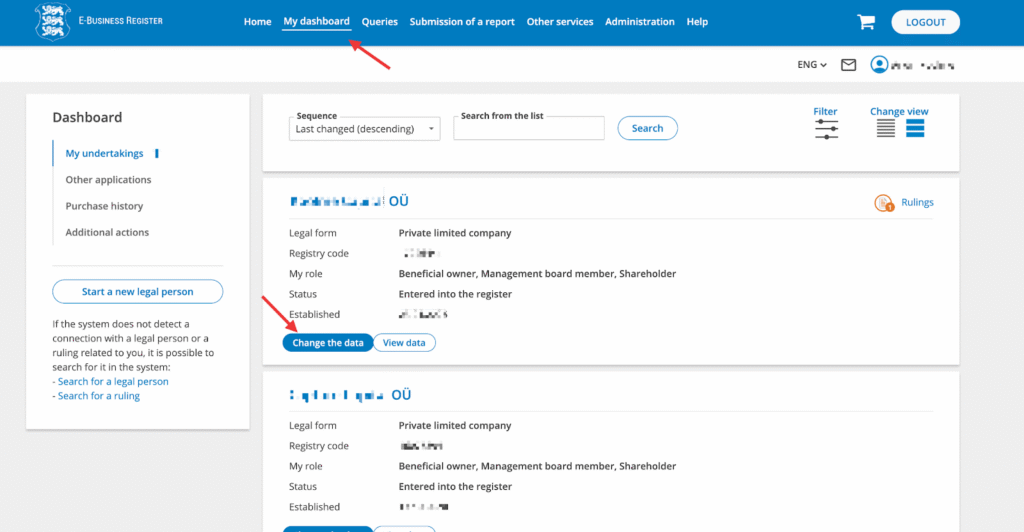
- Navigate to “My dashboard” and click on “Change the data” next to the company you want to update.
Step 2 — Open Main Information
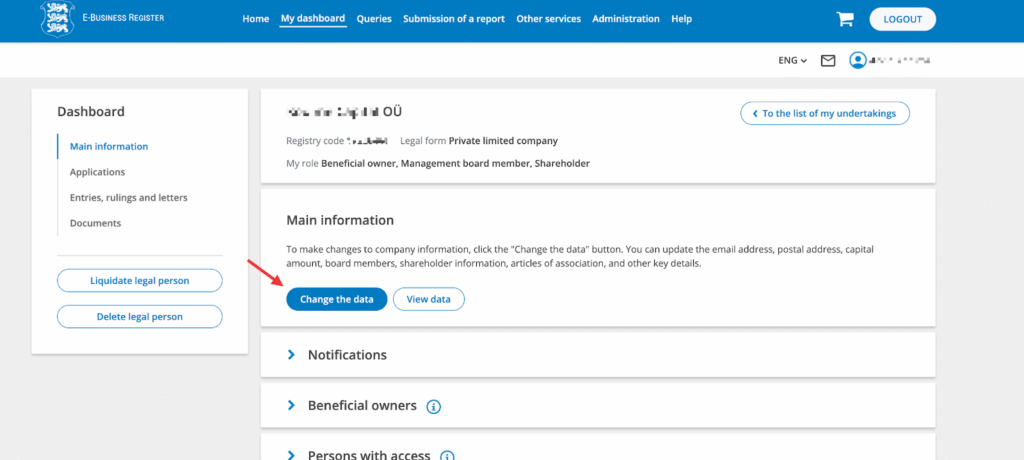
In the “Main information” section, click “Change the data” again.
Step 3 — Go to Contacts
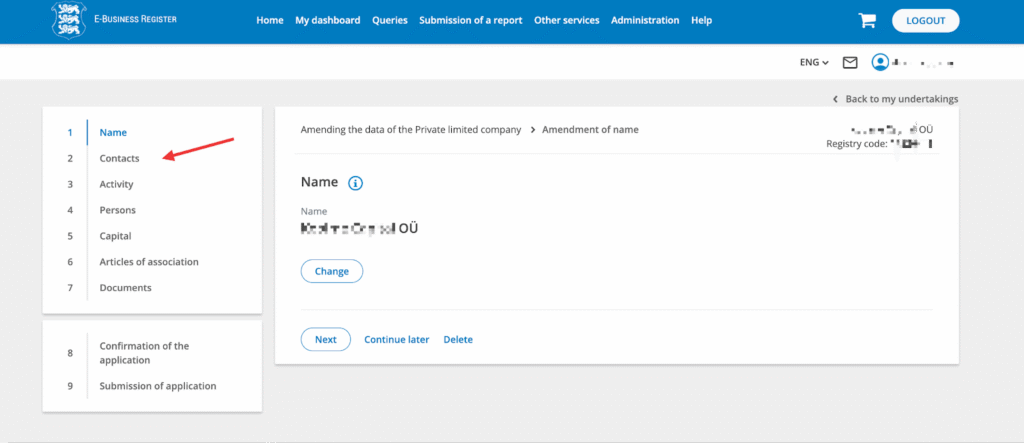
In your company change view, click on the “Contacts” tab on the left-hand side.
Step 4 — Edit Contacts
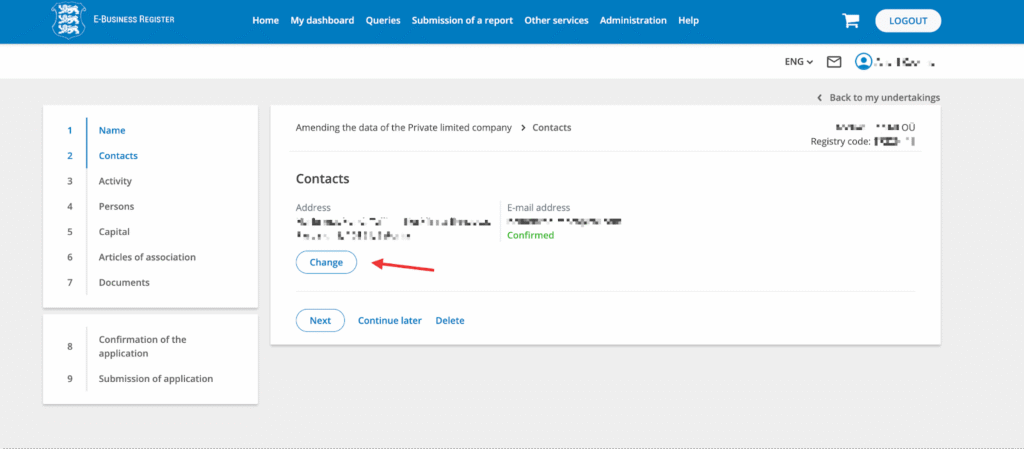
Once your company’s contact information is visible, click on “Change.”
Step 5 — Update Address
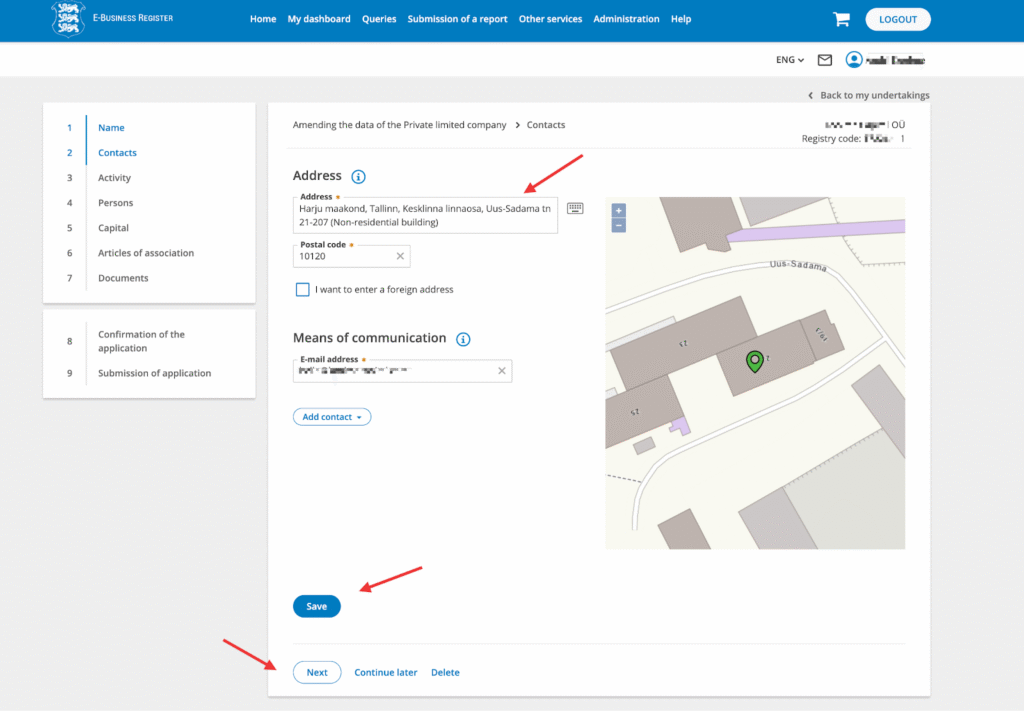
- In the Address field, enter:
Uus-Sadama tn 21-207
The system will validate the address automatically and fill in the postal code 10120. - Update your email address if needed, then click “Save.”
Step 6 — Confirm Changes
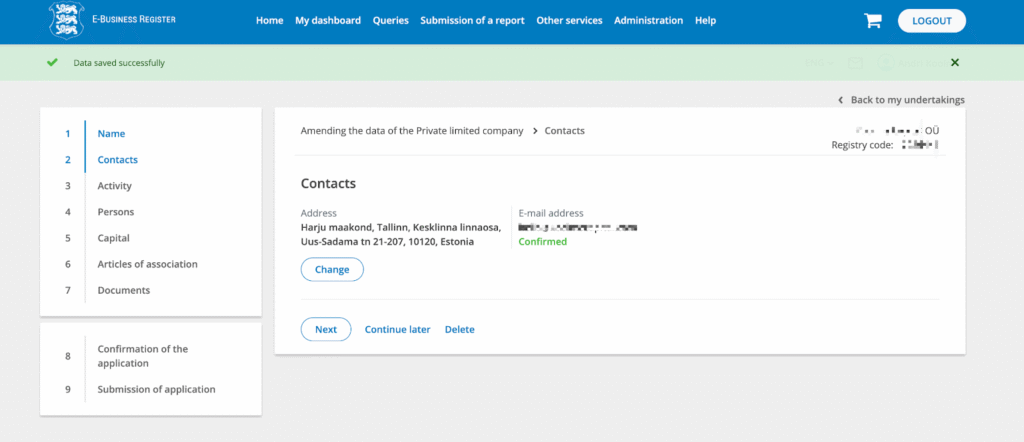
- The result should now display your new address.
- If everything looks correct, click “Next” and proceed through the remaining company details pages.
- You do not need to make any changes or upload additional documents.
Step 7 — Sign and Submit
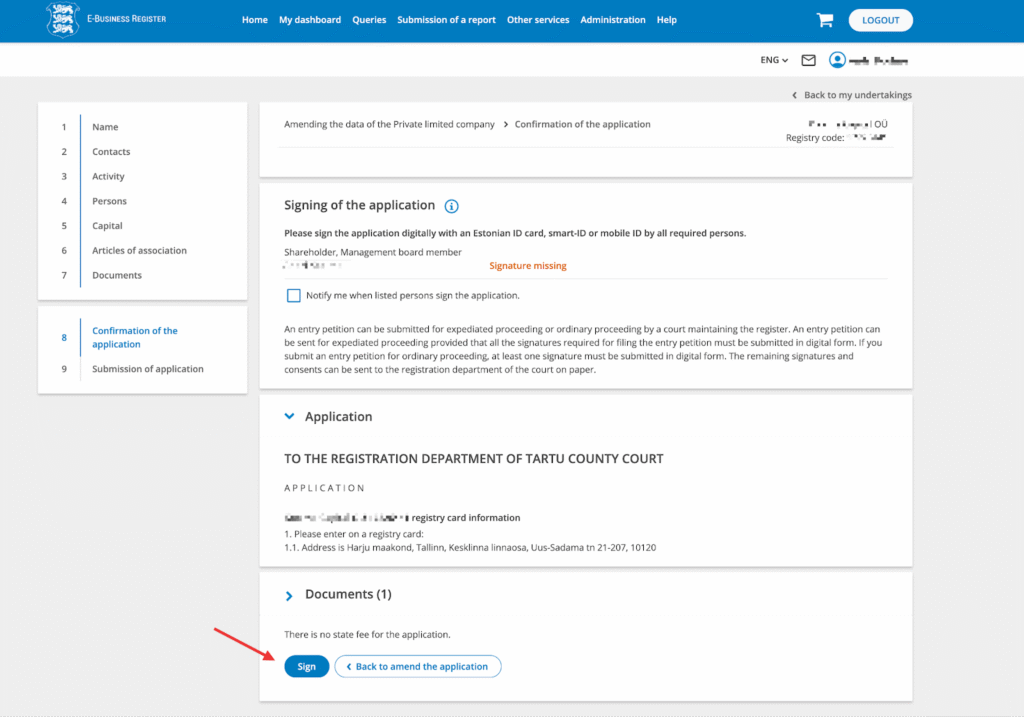
- On the “Signing of the application” page, click “Sign” and sign the application using your ID card or e-Residency card.
- Once signed, click “Submit.”
- The application will be delivered electronically to the register.
You will receive an email notification from the government once the change has been processed, typically within a few business days.
If you need any assistance, please contact us at info@capture.ee, and we will be happy to help!
Also Need a Contact Person?
If your company currently has a contact person listed, you can remove it while updating the address. It’s not necessary to have both an Estonian legal address (which you now have with us) and a contact person – keeping both often creates extra administrative overhead. This can be adjusted on the Persons tab when filing the change.
Of course, if you prefer to keep a contact person, we can also provide this service. Please note that contact persons can only be appointed for a specific term, and every amendment incurs a government fee; therefore, in most cases, removing it is the more practical option.
If you would like to use our contact person service, please enter these details: on Persons -> Other roles -> Contact person:
- Legal person
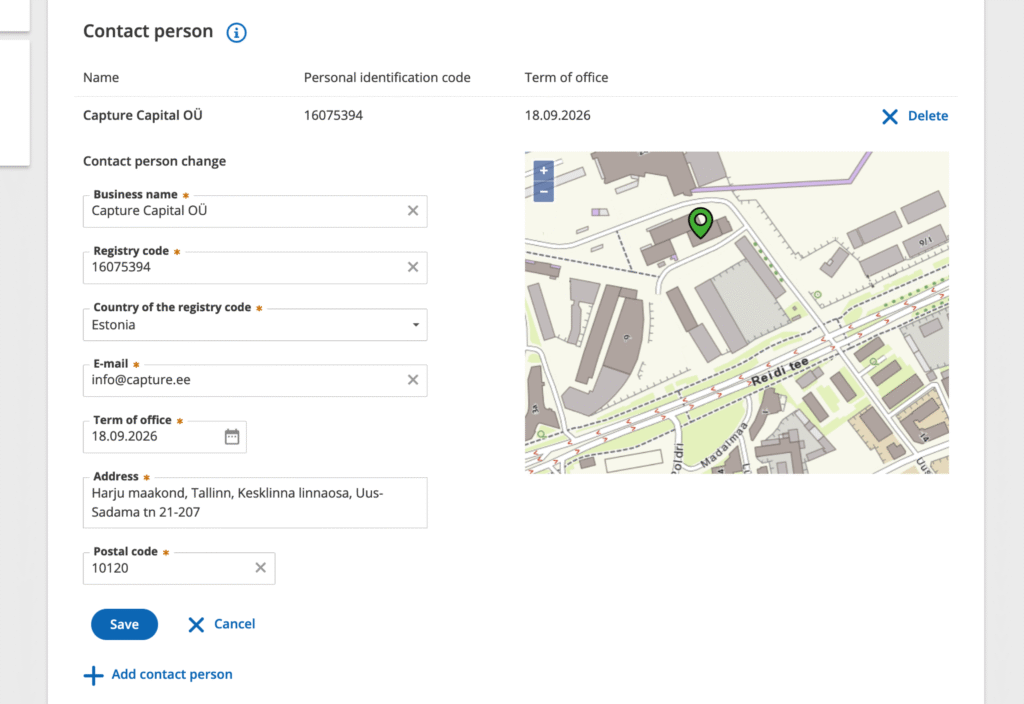
- Business name: Capture Capital OÜ
- Registry code: 16075394
- Country of the registry code: Estonia
- E-mail: info@capture.ee
- Term of office: 1 year from date of when you signed on our site and received the “Next steps for activating your business address service” email from us
- Address: Harju maakond, Tallinn, Kesklinna linnaosa, Uus-Sadama tn 21-207 (Non-residential building)
- Postal code: 10120
If you entered us as your contact person, please get in touch with us by replying to the automatic email notification or by emailing us at info@capture.ee, as we will have to accept the appointment as your contact person.
It should look like this: